One Screen for My Daily Life, Now Open Source
By Joseph Davis Chamdani · October 2026
A self-hosted dashboard for my calendar, tasks, shifts and pay, job hunt and diary, built in 15 days. How it works, and how I open sourced it without leaking my life.
I built one screen for my daily life: calendar, tasks, work shifts and pay, job applications, a diary, and the sites I run. 259 commits in 15 days, live on my own server on day 3, and used every day since February 2026. For eight months it was only mine. Now the code is public, and you can click through a read only live demo without installing anything.
Built with Next.js React TypeScript PostgreSQL Prisma Docker Claude API
Too many tabs
I'm an organized person and I like seeing everything on one screen. My life was not on one screen. Notes were in Google Keep, classes were in a calendar, and everything else was spread across a dozen other tabs. Every new task or deadline meant opening another one, and I kept forgetting where I'd put things.
Work was the worst part. I'm a student at UW and I work shifts on campus, so what I make each week actually matters to me. My schedule lived in Humanity and my pay lived in Workday, and neither of them answers the one question I actually had: how much am I making this week? You either wait for the pay period or count it by hand.
So I built the screen I wanted.
Fifteen days
The timing wasn't random. At the start of 2026 I was trying to get my life organized and keep track of it, and that's where the idea came from. It was also around the time AI models got good enough to help me build the things I'd always wanted to make.
The first commit landed on February 9, 2026: a Next.js app, a Prisma database, Google sign in and an empty dashboard shell. By February 11, day 3, it was live on my VPS, with GitHub Actions deploying every push.
259 of the 272 commits landed in the first 15 days, between February 9 and February 23. The busiest day was February 18, with 40 commits: job follow up reminders, a contacts database that syncs with Google, streaming responses for the chat, and a proper editor for the diary.
I built it with Claude Code as my pair, but I didn't just start typing. I planned it in phases. Phase 0A was local setup, 0B was deployment, and after that every feature got a phase of its own. I also kept a decision log for every choice that wasn't obvious, so when I came back to something weeks later I could read why it was built that way instead of guessing.
Four days from the sprint
Feb 9. Project scaffold: Next.js, Prisma, Google sign in, dashboard shell.
Feb 11. Deployed to the VPS with GitHub Actions. Drag to move and resize events, weather, PWA support, site monitoring with uptime history, cross device sync.
Feb 17. Claude usage metrics, a weekly summary email, iOS push notifications, the AI chatbot with tool use.
Feb 22 and 23. A tennis tracker for rackets, restrings, strings, sessions and stroke ratings. The last commit of the sprint.
After that it went quiet on purpose. Two commits in March. Three in April, for job assessment fields and status history. Eight in August, when I reworked Google sign in and moved the AI chat to Claude Haiku 4.5 to make it cheaper to run.
By the end of it, my copy was 272 commits and over 60,000 lines of code, with 143 API routes and 38 tools for the AI chat. The public version is a bit smaller, because I took out everything that only made sense on my own server.
The tour
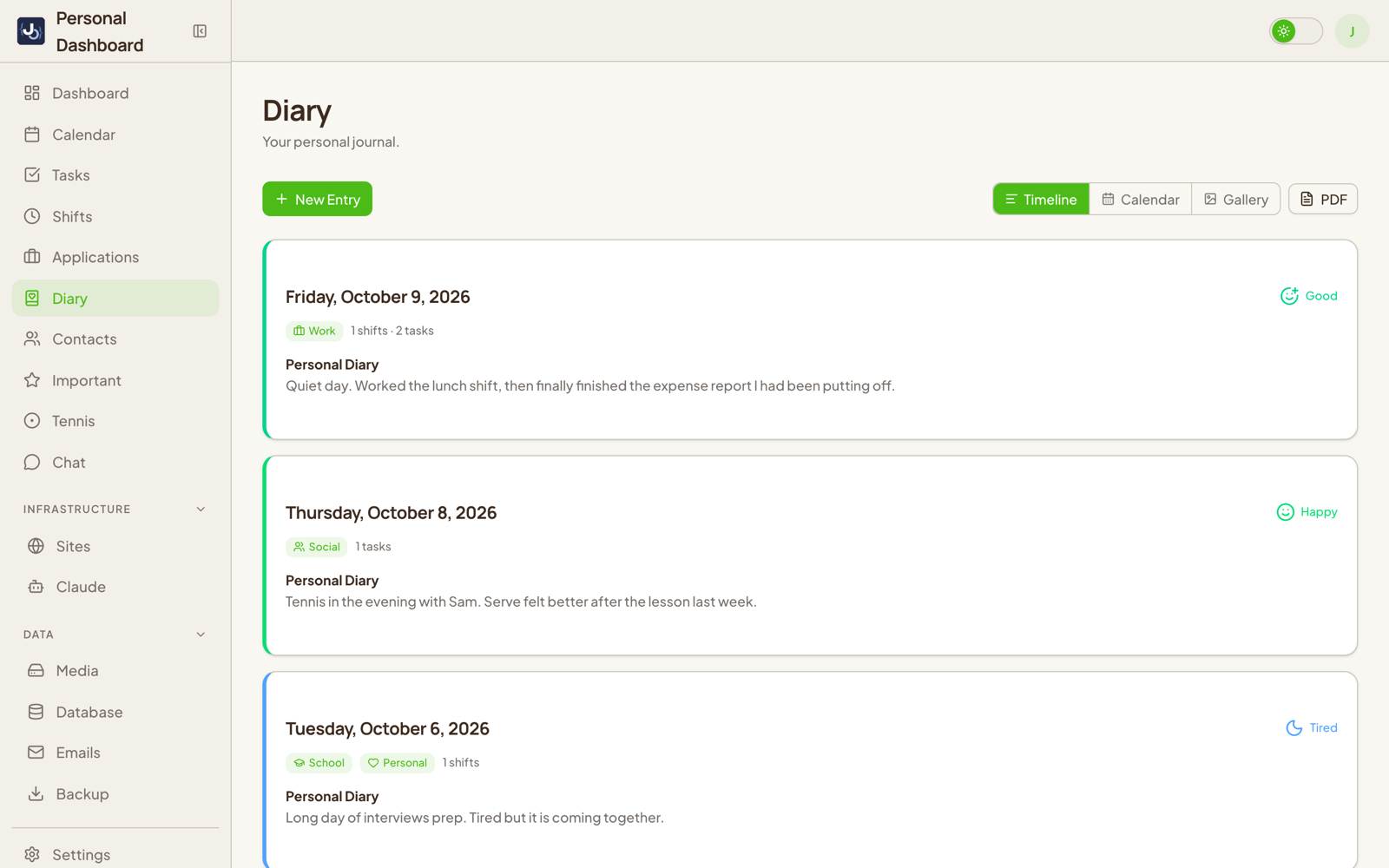
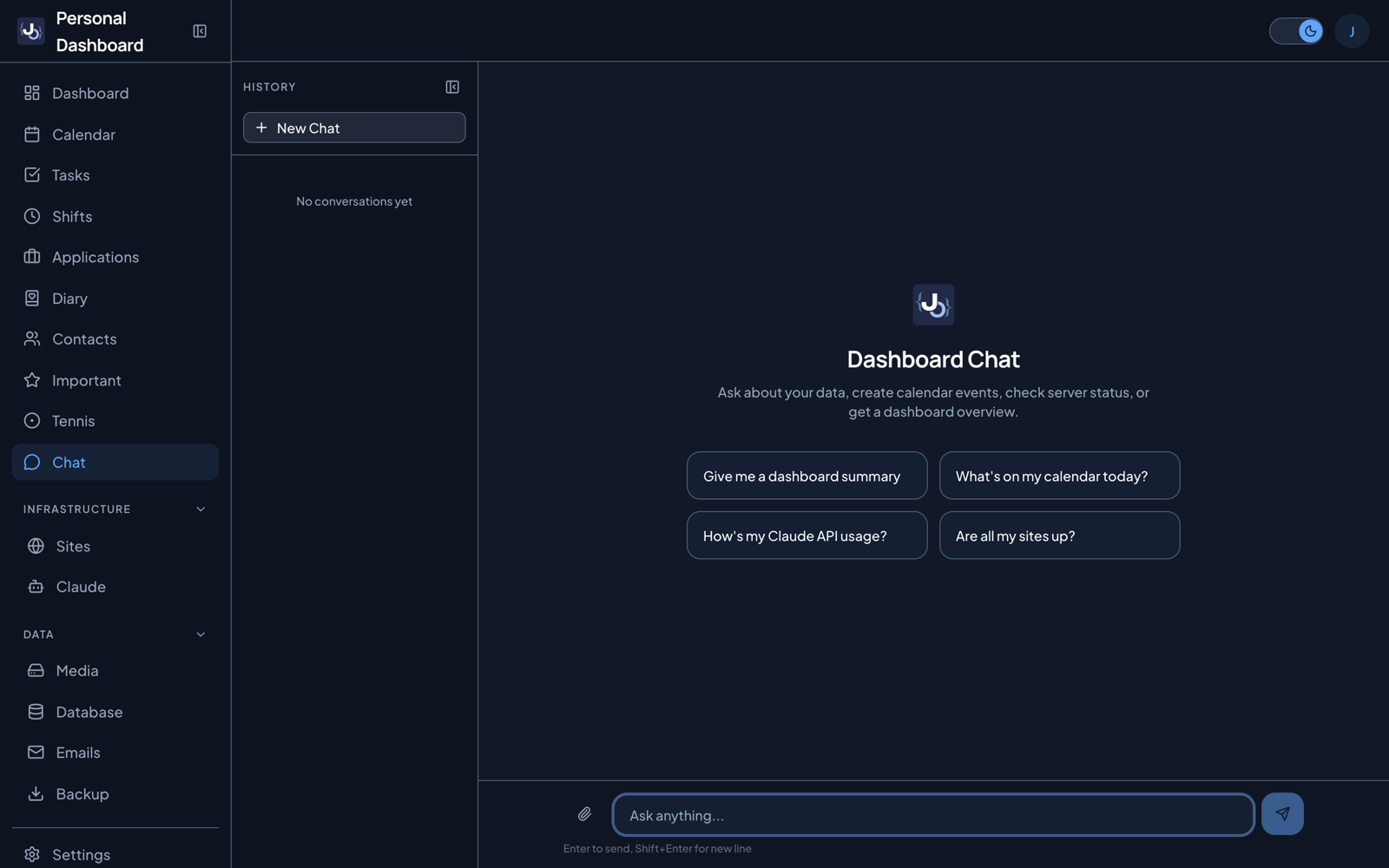
Here's the open source version running on demo data, light mode first and then dark. Every person, company and number in it is made up.
Shifts and earnings
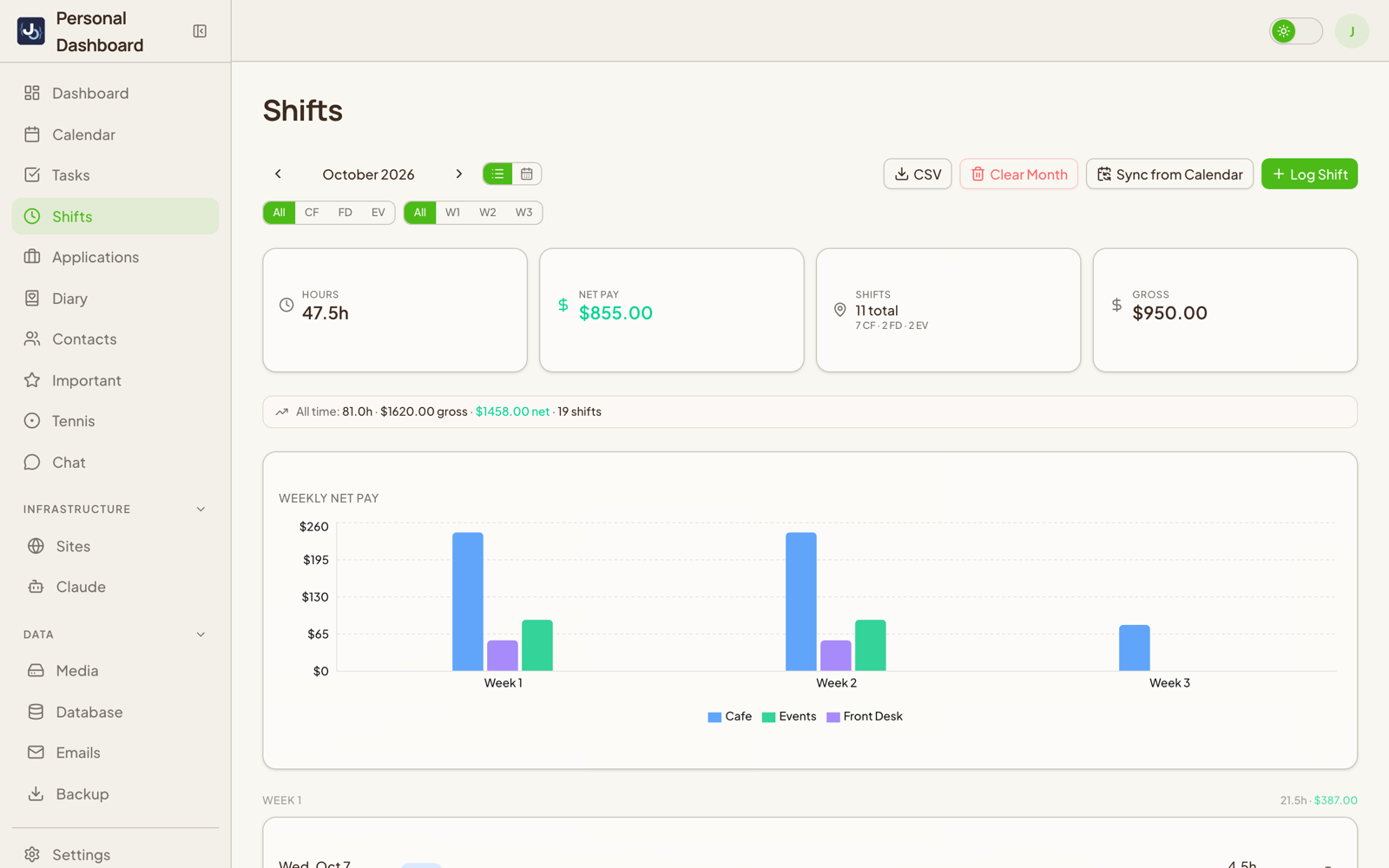
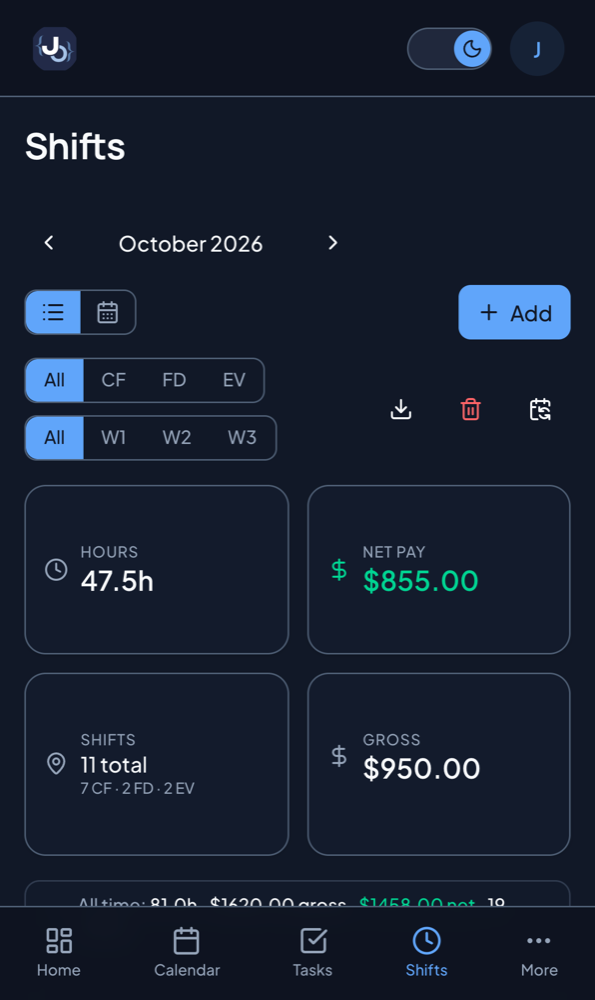
This is the page I open every day, and the reason the whole thing exists. It pulls my shifts straight out of my calendar, works out which job each one belongs to from keywords, and calculates gross and net pay. The question Humanity and Workday couldn't answer is now the top of the page: what I've made this week. There's a weekly chart, a week view, and CSV export when I want the raw numbers.
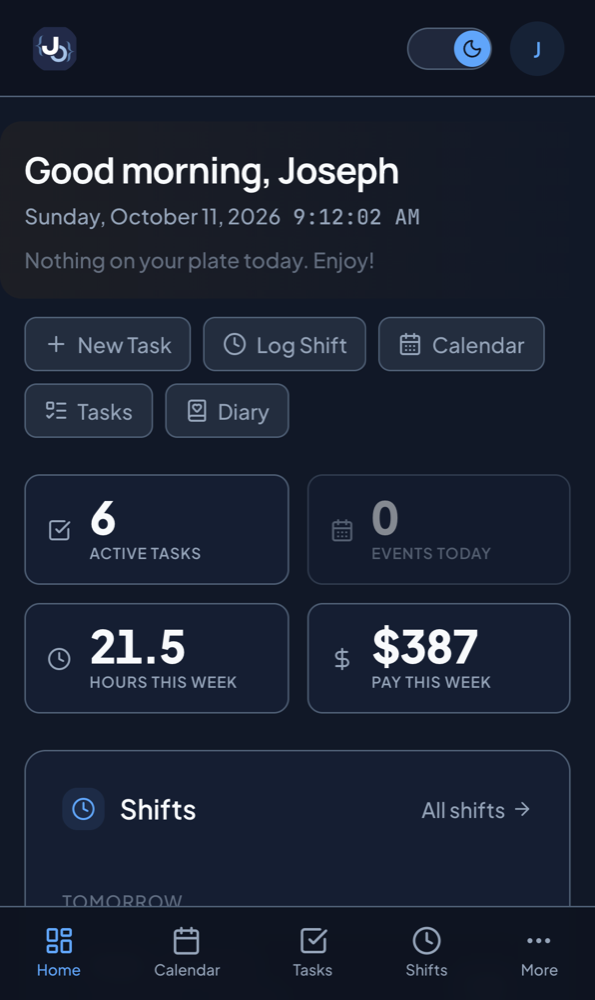
It works on my phone too. I never put it in an app store. It's a PWA, installed from Safari to my home screen, and it sends push notifications for upcoming shifts, tasks that are due, sites that go down, and a reminder to write in the diary.
Everything else
The home page puts it all together: a greeting, today's events, upcoming tasks and shifts, pay this week, the weather, the health of my sites, and quick links. The calendar is my full Google Calendar inside the dashboard, with multiple calendars and drag to create, move and resize. Tasks is a kanban board with drag and drop, priorities and photos.
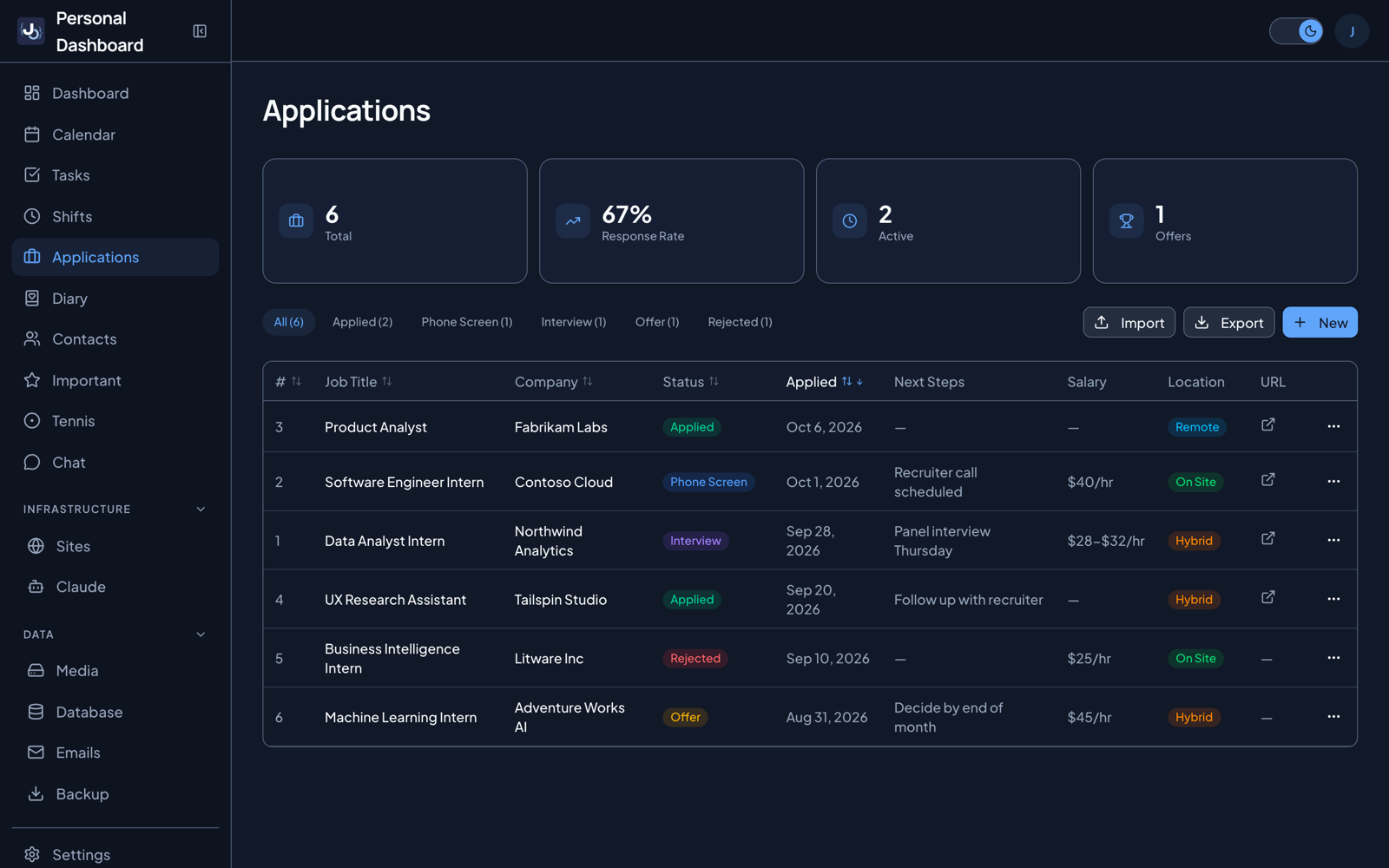
Applications replaced the Notion table I used for my job search. It keeps status history, reminds me to follow up, and tracks assessments.
The diary is one entry per day with mood, tags, photos and video. It pulls in that day's shifts, tasks and events on its own, and Claude can write a structured summary of the day.
The AI chat is Claude with tools over all of my data. I can ask it in plain language to read or create tasks, calendar events, diary entries and job applications, and it actually does it instead of telling me how. Then there are contacts, the Important page, media, backups, sites, settings, and a tennis page, since I play and wanted to track my rackets and restrings.
What I actually use
Shifts and earnings. I open it every day to check what I'm making this week.
The diary, the Important page and my own chatbot are a different story. I built them, used them for a while, and then stopped. I kept them anyway. The point was never that every page gets opened every day. The point was one place for everything, so when I do need one of them, I know exactly where it is.
Problems I ran into
iPhone push without an Apple developer account
I assumed push notifications on an iPhone meant paying Apple for a developer account. For a PWA, they don't. Standard Web Push with VAPID keys works on iOS 16.4 and later. The catch is that it only works when the app is opened from the home screen icon. Open the same page in a Safari tab and nothing comes through.
Finding shifts in a calendar
My shifts land in my calendar under whatever labels the scheduling app gives them, so the dashboard detects them by keyword. The tricky part was duplicates. The same shift can show up on two calendars, so it removes the copy and keeps the shorter label.
Google logged me out every week
For a while I had to sign in again every single week. The likely cause was my OAuth consent screen sitting in Testing mode, where Google expires refresh tokens after 7 days. I published the app and now store one shared refresh token that all my devices use.
Emails in dark mode
Gmail and iOS Mail both rewrite email colors in dark mode, and they don't ask first. To keep the weekly summary email readable I had to build it the old school way, with table based layouts and an explicit color on everything.
One wrong calendar broke the whole page
A shared calendar got deleted, and suddenly the calendar page never finished loading. One missing calendar made every calendar request fail with it. Now a missing calendar just returns nothing, and the rest of the page loads like normal.
Why share it now
For about eight months this lived only on my own server. I never published it because in my head it was my dashboard. It was built around my life and nobody else's, so I didn't see why anyone else would want it.
The more I thought about it, the more I wanted other people to have it. Run your own dashboard, bend it to fit your life, or just take the idea and build something of your own.
Open sourcing it without leaking my life
A personal app isn't like a library, so this part took more care than any feature.
A new repo, not a flipped switch
I never made the private repo public. Its history still has personal data sitting in old commits, and deleting a file today doesn't remove it from those. The public version is a new repo with a fresh history.
Audit first, copy second
Before copying anything, I did a full inventory of the personal data in the code. It found what I expected: my emails, my server's IP address, my pay rate. It also found what I didn't expect: three coworkers' names, emails and phone numbers, and two friends' emails, hardcoded right in the code. None of that made it into the public repo.
Making it someone else's
Some features only made sense for my own servers, so they came out: VPS monitoring, the security audit page, internal docs, deploy notifications and my contact form inbox. Everything that was my personal setup became a template. Pay rate, job locations, name, timezone and weather cities now live in two config files.
Then I made it work for a stranger in one command. Demo mode fills it with invented data, fictional people and fictional companies, so docker compose up shows a working dashboard with no setup at all. Every screenshot and the video in this post come from that demo. I also added optional Cloudflare R2 storage for media, tested end to end against an S3 compatible server, including a 150 MB file.
Checking before every push
Every commit went through gitleaks to scan for secrets. On top of that I searched for my name, my emails, my domains and my server details. Then I cloned it fresh from GitHub, built it with no cache, and checked every page worked.
Going through everything that carefully turned up real bugs too, like a greeting that said good evening in the morning, and photo deletes that never actually removed the file.
Try it
The fastest way to see it is the live demo at dashboard-demo.joechamdani.com . It's read only and runs on the same invented data as the screenshots, so you can click through every page without installing anything. The server refuses every change, and the demo data resets once a day.
The code is on GitHub at JosephDavisC/Personal-Dashboard . Clone it, run docker compose up, and you get the demo. When you want it to be yours, start with the two config files: your name, your timezone, your jobs and pay rate, and the cities you want weather for.
It's built with Next.js, PostgreSQL, Docker and the Claude API. The full stack is in the README .
I built it because I wanted one screen for my daily life. If you end up with one for yours, whether it's this one reworked to fit you or something you build from scratch, I'd love to see it.